Customer management without the overhead
A simple customer workflow for side hustlers
The simplest way to manage customer requests, bookings, messages, and invoices in a side hustle is to give each step a clear job: use one public place to explain the offer, capture a complete request, confirm the work yourself, keep the conversation attached to the customer, and create the invoice after the details are settled.
The short answer
How should a side hustler organize customer work?
Use one simple path from interest to finished work: a stable page for the offer, a request that captures the details, a deliberate confirmation step, one conversation history, and an invoice based on what was actually agreed. The tool matters less than keeping those stages distinct and easy to resume.
The five-part workflow at a glance
A customer should always know what to do next, and you should always be able to tell what has been promised. These five stages create that shared clarity without asking a small business to behave like a large company.
| Stage | What it answers | What to keep |
|---|---|---|
| Storefront | What do you offer? | Photos, clear descriptions, starting prices, service area, and the right next step. |
| Request | What does this customer need? | Contact details, selected offer, date, location, budget, quantity, and custom notes. |
| Booking | What have you agreed to do? | Confirmed timing, location, scope, status, and any customer-visible notes. |
| Conversation | What changed or still needs an answer? | The messages that explain decisions, revisions, pickup details, and follow-up. |
| Invoice | What is the customer being charged for? | Agreed line items, issue date, due date, total, notes, and payment status. |
For a concrete product example, see the Metner customer workflow from public storefront to private follow-through.
Why a social inbox eventually breaks down
Instagram, Facebook, text messages, and email are good at starting conversations. They are less reliable as the permanent record of a custom order, a rental date, or a service booking. The useful details arrive one at a time, often between unrelated messages, and the owner becomes the only person who remembers how they fit together.
That may be perfectly manageable when there is one active customer. The strain appears when several people ask similar questions at once, one customer changes a date, another sends a pickup address in a different thread, and someone else assumes that asking about availability means the work is confirmed.
The answer is not automatically a complicated customer-management system. It is a small amount of structure at the moments where ambiguity becomes expensive: before you promise the work, when the details change, and when you ask the customer to pay.
Five steps from customer interest to a clear invoice
The workflow below works for local products, rentals, and services, but the information you collect should match the kind of work. A custom product may need quantity and personalization. A rental needs dates and location. A service may need a budget, timing, and add-ons.
-
01
Give every offer a stable place to live
A social post disappears quickly. A stable storefront or web page gives referrals and returning customers one link where they can understand what you make, rent, or do. Include enough detail for someone to decide whether it is worth asking: useful photos, a plain description, the area you serve, and what happens after they reach out.
Keep products, rentals, and services distinct. A customer looking for a weekend rental needs different information from someone ordering a personalized item or asking about a local service.
-
02
Turn the first message into a complete request
A useful request reduces the first round of repeated questions. Ask only for details that help you make a decision: the offer they are interested in, desired date, location, budget, quantity, customization, and a way to reply. Do not force every customer through fields that make no sense for their request.
The goal is not to eliminate conversation. It is to begin the conversation with enough context that your first reply can be helpful.
-
03
Confirm the work deliberately
Review the request before it becomes booked work. Check availability, make sure the scope is realistic, resolve timing or pickup questions, and write down the agreement. This is especially important for custom work and rentals, where the customer’s first choice may not be possible.
A seller-managed confirmation step lets you say yes with confidence, propose a different date, or decline work that is not a fit. It also gives both sides a clearer point at which an idea became a commitment.
-
04
Keep the conversation with the customer record
Once work is confirmed, changes should be easy to find. Keep messages about timing, revisions, pickup, access instructions, and follow-up with the customer instead of scattering them across a personal inbox and several apps.
You do not need to copy every casual exchange into a formal system. Preserve the messages that explain what you agreed to do, what changed, and what either person needs next.
-
05
Create the invoice from the agreed work
An invoice should reflect the final scope rather than the customer’s first message. Use clear line items, an issue date, a due date when appropriate, the total, and any notes the customer needs. Keep its status visible so you can tell whether it is a draft, has been sent, is due, or has been paid.
This does not require a forced payment processor. The important part is maintaining a clear record of what was charged and where the invoice stands.
The smallest useful system is the one you will reopen
A perfect setup that takes too much effort will be abandoned. Start with the few records that help you resume work after a busy day. For most local side hustles, that means being able to answer five questions quickly:
- Who is the customer, and how should I reply?
- What are they asking for, including dates, location, quantity, and custom details?
- Is this still a request, or have I confirmed it as booked work?
- What is the next action, and who is waiting on whom?
- Has an accurate invoice been prepared, sent, and paid?
If a notebook or spreadsheet answers those questions reliably, it may still be enough. Move to dedicated software when you spend more time reconstructing context than doing the work, when customers regularly repeat information, or when you cannot tell which request needs attention next.
What to look for before adopting a tool
Choose software based on the shape of the work, not the size of its feature list. A useful system for a local seller should make the public offer easy to understand, preserve the difference between a request and confirmed work, keep customer communication findable, and avoid forcing unrelated shipping, scheduling, or payment workflows into every sale.
Also check whether you can leave. Your customer details, invoices, and commitments belong to the business. A tool should make the current stage calmer without making the next stage harder.
A note from the builder
This workflow came from real after-hours work.
I use Metner for my own laser engraving and 3D-printing work. The hardest part is rarely making the item. It is remembering which conversation contains the dimensions, whether the pickup date was confirmed, and what the final price includes. Metner is my attempt to make that follow-through feel proportionate to the side hustle.
Why I built MetnerWhere Metner fits
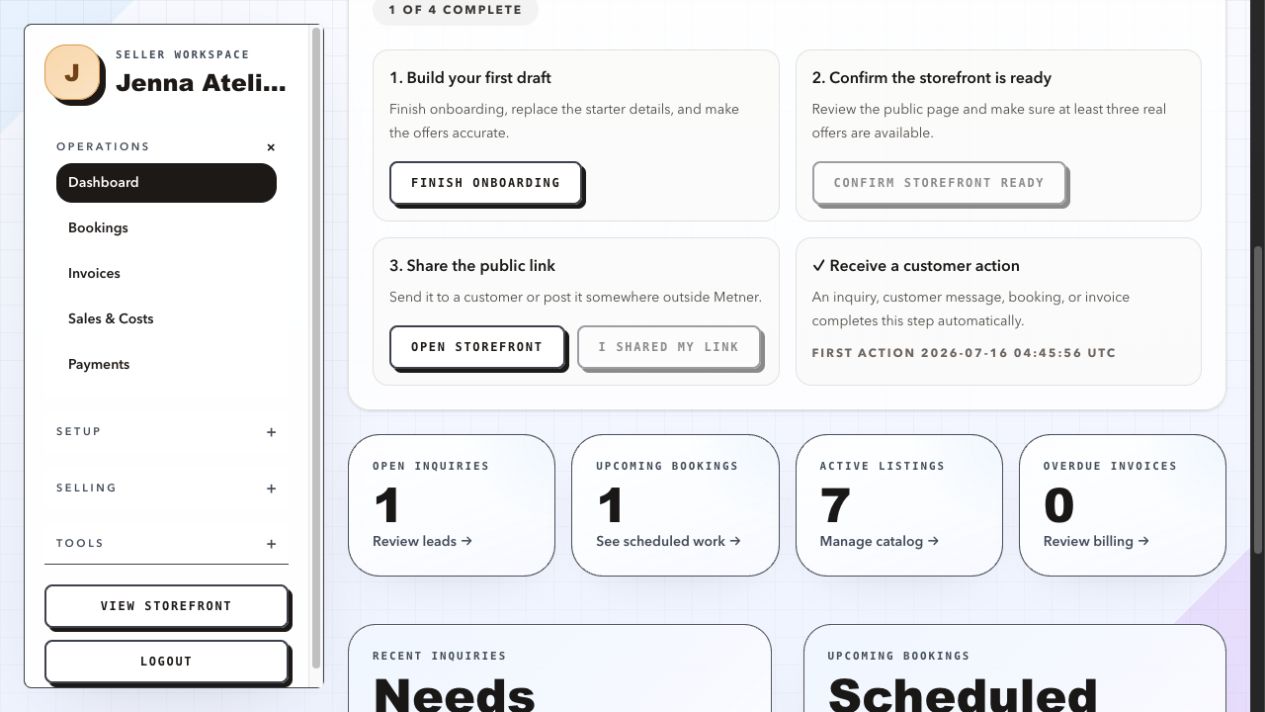
Metner gives local side hustlers two connected places: a branded storefront where customers can browse products, rentals, or services, and a private seller workspace for the requests, seller-managed bookings, conversations, pickup details, and invoices that follow.
Customers can begin with an inquiry or a storefront message. The seller reviews the request and decides whether to turn it into booked work. Customers with portal access can review their own bookings, invoices, and conversations, while the seller workspace remains private.
Metner does not currently provide self-service appointment scheduling. It is designed for work where the seller needs to review dates, scope, location, or custom details before confirming the booking. It is free during early access, with no credit card required and no Metner transaction fee.
Common questions about managing a side-hustle customer workflow
Do I need customer-management software for a side hustle?
Not necessarily. If you can reliably find each customer’s request, confirmed details, next action, conversation, and invoice, your current system may be enough. Dedicated software becomes useful when details are regularly lost across messages or when reconstructing the work takes more time than maintaining a simple record.
What is the difference between a customer request and a booking?
A request describes what the customer wants. A booking records work the seller has reviewed and agreed to do. Keeping those stages separate prevents an availability question or preferred date from becoming an accidental promise.
Should customers schedule themselves?
It depends on the work. Self-service scheduling can fit standardized appointments. Seller-managed confirmation is often better for custom products, rentals, event work, pickups, and services where timing, scope, location, or add-ons need a conversation first.
What details should a customer request include?
Collect only what helps you evaluate and answer the request. Common details include the selected offer, contact information, desired date, location, quantity, budget, customization, and a short message. The right fields vary for products, rentals, and services.
Can Metner keep requests, bookings, messages, and invoices together?
Yes. Metner combines a public storefront with a private seller workspace for inquiries, seller-confirmed bookings, customer conversations, pickup details, and invoices. It is built for local sellers offering products, rentals, or services.
One clear next step
Give the next customer request somewhere useful to land.
Start with a storefront that explains the offer, then keep the follow-through connected as the request becomes real work.
Create your free storefront